Tabs
This tab guide was last updated for Admin Tablet 7.0.0.
Tabs contain modules and open from the selector at the bottom of the tablet. The active tab is below Active Parent; inactive tabs are below Hidden Parent.
Edit a tab
The Available Tabs list shows every connected tab. The active tab is green.
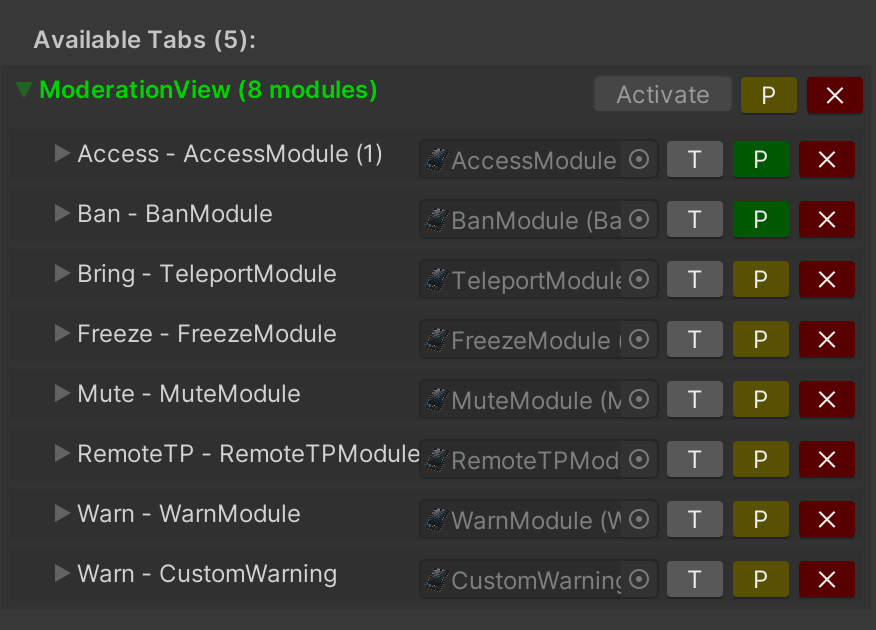
- Expand a tab to edit its modules. Use P to edit tab permissions.
- Press Activate to preview it.
The tab you leave active when uploading becomes the default at runtime.
Add a tab
Under Add New Tab, enter a name and press Create Tab. Enable Add To Selector to create and connect its selector button automatically.
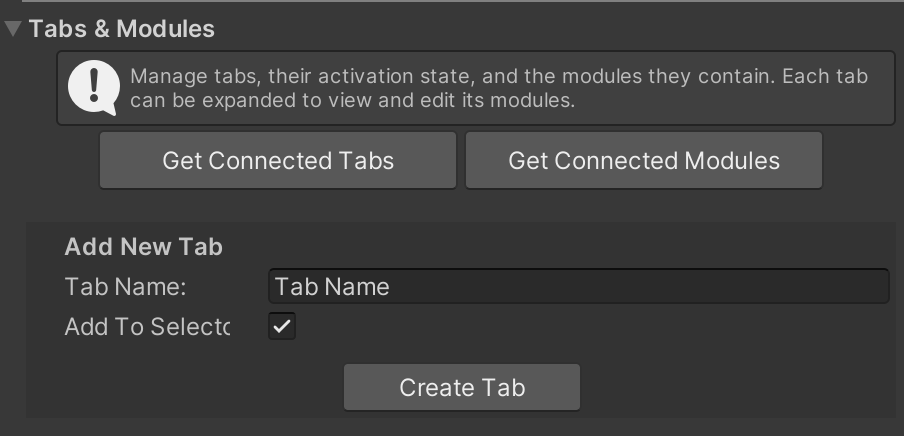
The editor creates the tab from the supplied Empty Tab reference and adds it to the connected tabs list.
Activating a tab can require unpacking the tablet prefab instance. Unity asks for confirmation before the editor does this.
Keep tabs as direct children of Active Parent or Hidden Parent, with the supplied scale and rotation. Otherwise they will not appear in the tab picker or may render incorrectly.