Themes
Documentation version
This theme guide was last updated for Admin Tablet 7.0.0.
The theme editor controls four colors: Primary, Secondary, Text, and Background. It can also replace the background image.
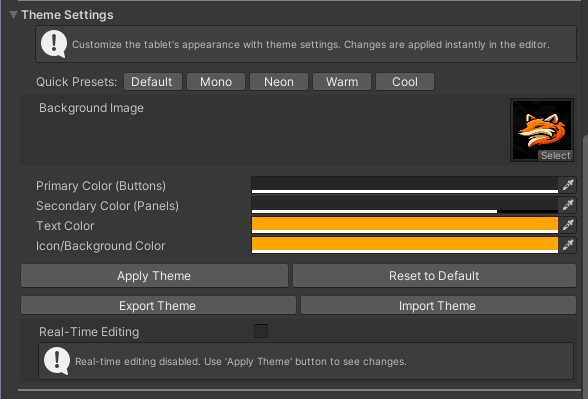
- Choose a preset or edit the four colors.
- Enable Real-Time Editing for live previews, or press Apply after editing.
- Use Reset to restore the Default preset.
You can also replace the Background Image. Import and export use JSON files containing the four theme colors; the background image is not included.