Keypad
The main keypad script is in charge of handling login of the users into the different KeyPadRoles, it also handles encryption, spoof checks and other settings.
There should only be 1 of these in the instance at all times and it should never be turned off for best results.
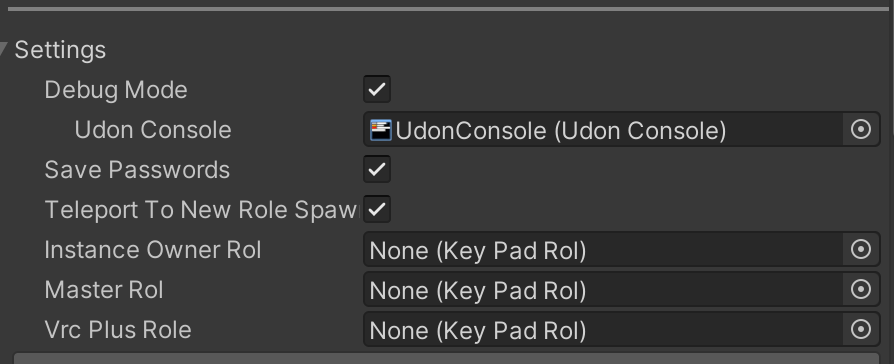
Settings
- DebugMode : bool - Enables extra console messages for help debugging.
- UdonConsole : UdonConsole - (optional) reference to VUdonLogger console.
- SavePasswords : bool - Saves last used password to playerdata and reuses it when joining world.
- TeleportToNewRoleSpawn : bool - If enabled, when a user logs in and their new role has a spawn point assigned, they will be teleported to it.
- InstanceOwnerRol : KeyPadRol - Role to be given to the creator of the instance.
- MasterRol : KeyPadRol - Role to be given to the instance master, this role is transfered when master change.
- VRCPlusRol : KeyPadRol - Role to be given to users with VRChat Plus.
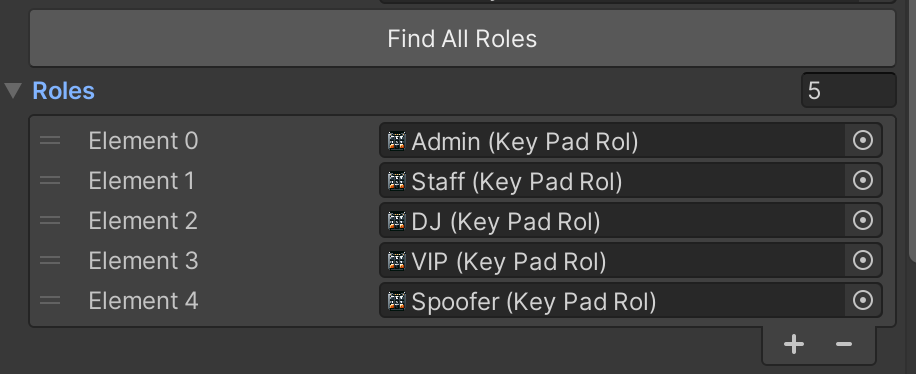
Roles
List of roles that the keypad handles. You can use the Find All Roles button to automatically populate the list with all KeyPadRol in the scene. You can also sort them manually to adjust the hierarchy order, this will affect many aspects of the keypads behaviour.
Security
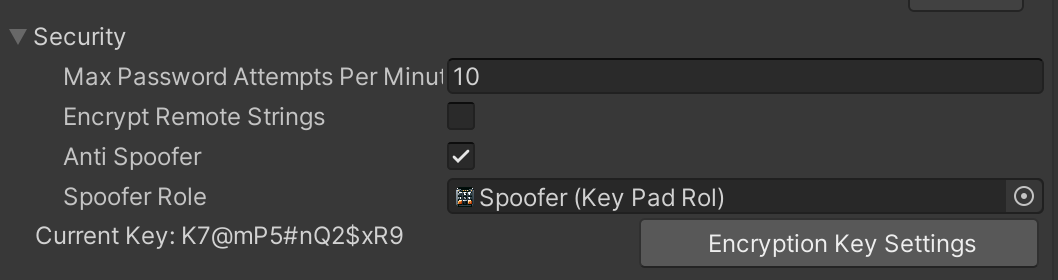
- MaxPasswordAttemptsPerMinute : int - Number of failed password attempts allowed per minute before the user gets blocked.
- EncryptRemoteStrings : bool - If enabled, all remote player lists will be treated as encrypted.
- AntiSpoofer : bool - If enabled, the keypad will try to perform security checks to detect if a user is trying to use the name of other user for autologin purposes. Should be always ON if possible
- SpooferRole : KeyPadRol - Role to be given to users detected to be spoofing.
- EncryptionKey : string - Key used for encrypting/decrypting keypad data including remote lists.
Advanced
- SortTagsByRoleOrder : bool - Sorts DataLists and VRChatTags using the hierarchy order, from top to bottom.
- AddChildTags : bool - If true also adds implicit role names to the VRChatTags, if false only adds Explicit roles.
- TagName : string - Key Name to be used when assigning VRChatTags.
- TagSeparator : char - Character thats used in between role names when assigning tags.
- EventListeners : UdonBehaviour[] - List of UdonBehaviours that will receive events when users login/logout. More info on the API section of the wiki.
When we mention tags we are talking about VRChat's PlayerTags system.
Audio
- ButtonSound : audioClip - Played on every button press.
- AcceptedSound audioClip - Played when successfully logged in.
- ErrorSound audioClip - Played when a wrong password is inputted.
Translations
- AcceptedMessage : string - Text displayed on keypad when you login to a role, 0 is role name.
- DeniedMessage : string - Text displayed on the keypad when you input an incorrect password.
- LoggedOutMessage : string - Text displayed on the keypad when you log out.
References
These are used internally and you should never have to change these.
- KeyPadDataSaver : KeyPadDataSaver - Used to save/load persistant data like temp roles or passwords.
- KeyPadPlayerData : KeyPadPlayerData - Used to store player data like which roles they have.
- InputScreen : TextMeshProUGI - Text component of the keypad screen to display the password.
Utility
The keypad allows you to export/import its roles to/from a JSON string for easy copying between instances or for backup purposes.